

Join early for a special price that will never be lower! Foundational licenses are limited in number. Once they're gone - they're gone!

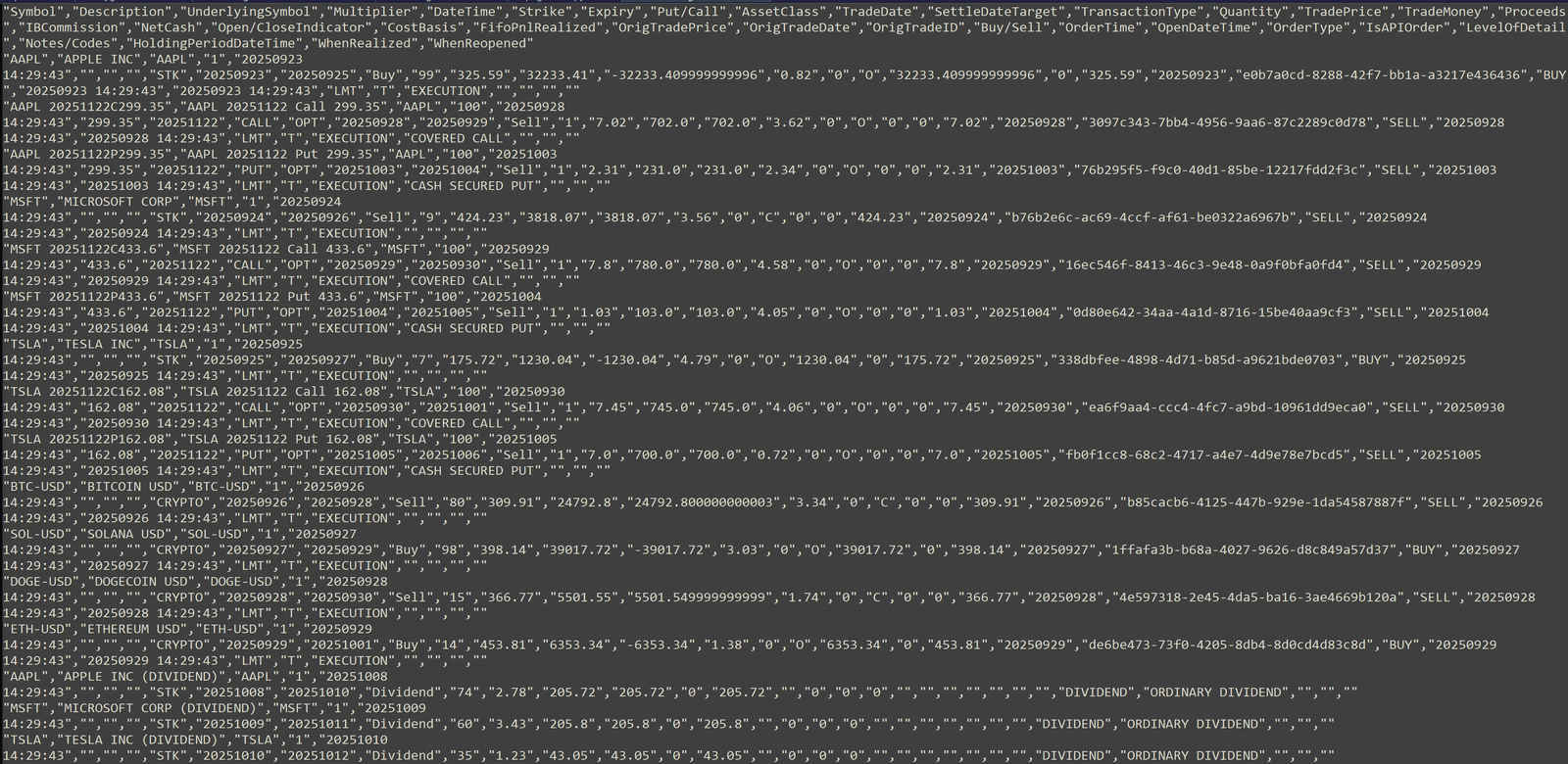
Go from this...
What you get from your broker, an awesome csv file! Incomprehensible, but valuable data! Import into a spreadsheet like others suggest = not very user friendly, can't group trades, and you can easily corrupt the file.
(Click to enlarge)
To Stocklog+
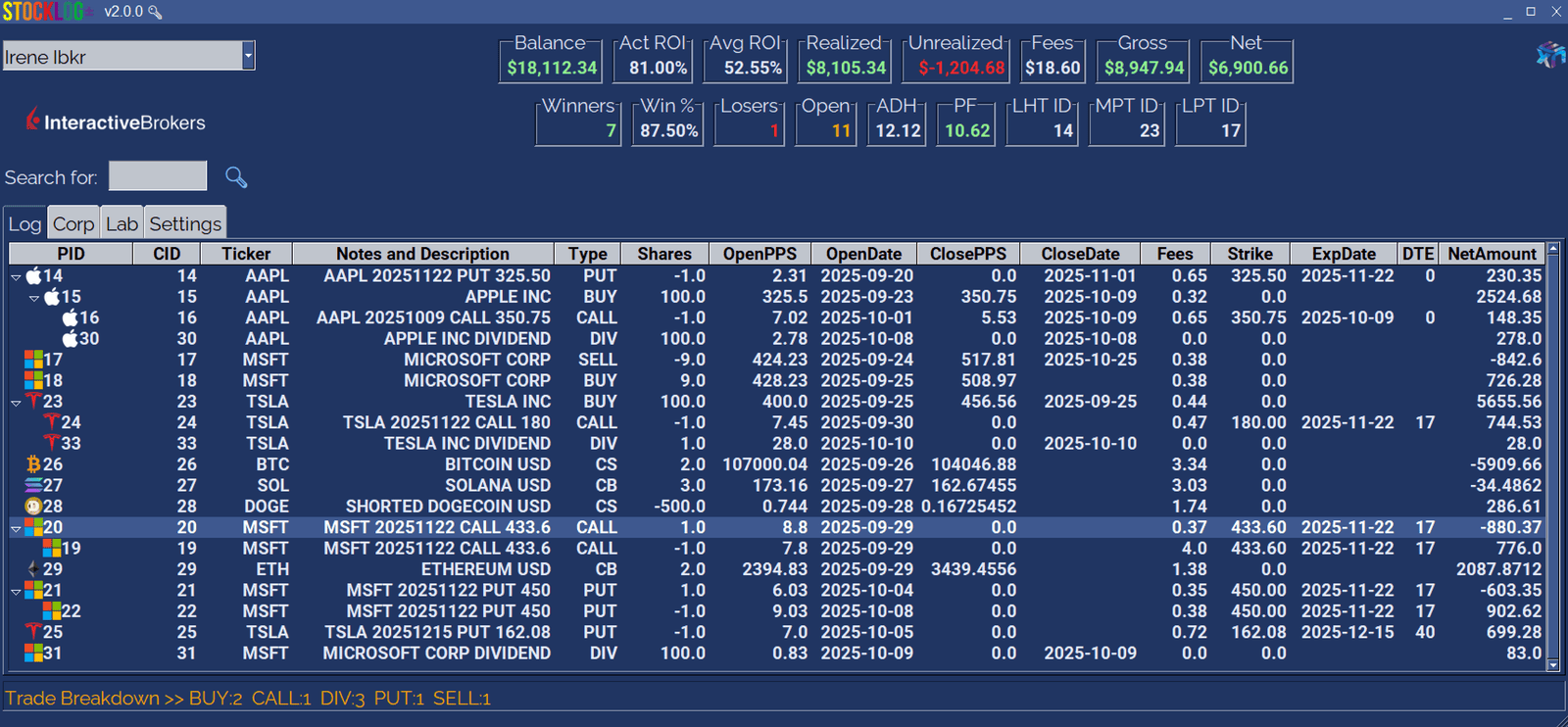
Easily group trades together. All in one database.
- Get up and going fast with Stocklog+ and it's super easy to understand and use
- Just the data you want and need to see
- Use it for anything you have a buy-side to sell-side transaction (stocks, options, forex, crypto, bonds, etc.)
- All trading data is kept in a local database for central storage and fast retrieval
- Broker independent, keep ALL accounts in Stocklog+
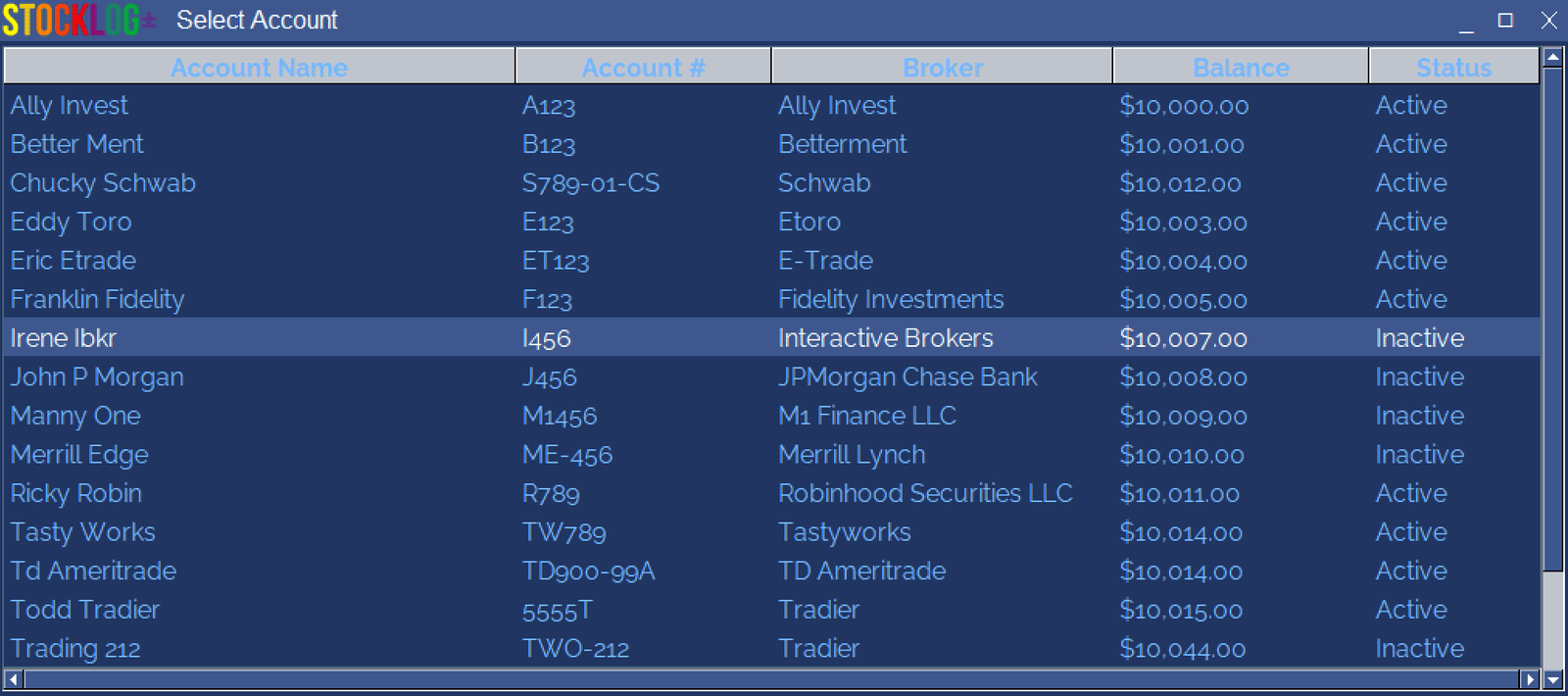
Unlimited Accounts
Create as many individual trading accounts as needed. Each account is considered separate and the actions only affect the selected account. Modify the name, balance, active state, and tax information.
(click to enlarge)
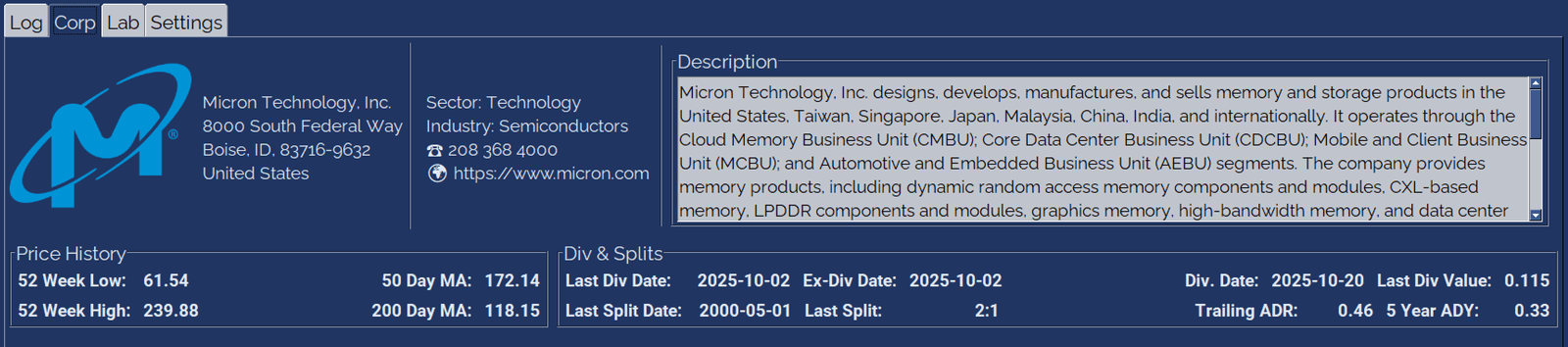
Get quick corporate data
You can select any stock, ETF, or Cryptocurrency and Stocklog+ will attempt to bring in corporate data. You can also click on the URL to browse the corporate website. Want to get the latest news... Click on the corporate symbol!
(click to enlarge)

Stocklog+ is a simple to use stock journaling / diary / log application to help you collect and visualize all your trades from an unlimited number of broker accounts.
There can be tens-to-hundreds of data points for each security; most software products clutter the screen assuming 'more is better' to promote high costly fees, but in reality it's visual noise and the majority of users will not use more than 3% of the information or 'features' presented - again, more buttons to click, the more it cost!
Stocklog+ is not a trading platform. It does not require direct access to any financial institution. You can enter trade history manually or have Stocklog+ import a CSV file downloaded from your broker account usually located in history.
To keep you from doom-scrolling 😉 check out the documentation for details on how to use Stocklog+. FREE to download and try - doesn't modify your system!
What about your data?

When you signup for a subscription, I do not store credit card information locally; that job is left to the payment processor. It's easy to sign-up and just as easy to cancel. You always control your payment information and subscription from the portal.
Your stock trading data is only stored locally - not interested in selling your trade data to a third party aggregator.